Notes
Some classes can't just be typed.
Label a diagram, balance an equation, show your working. Carpeta lets you write the way the subject needs — and keeps every note inside the class and unit where it belongs.
Handwriting and class organization are included free.
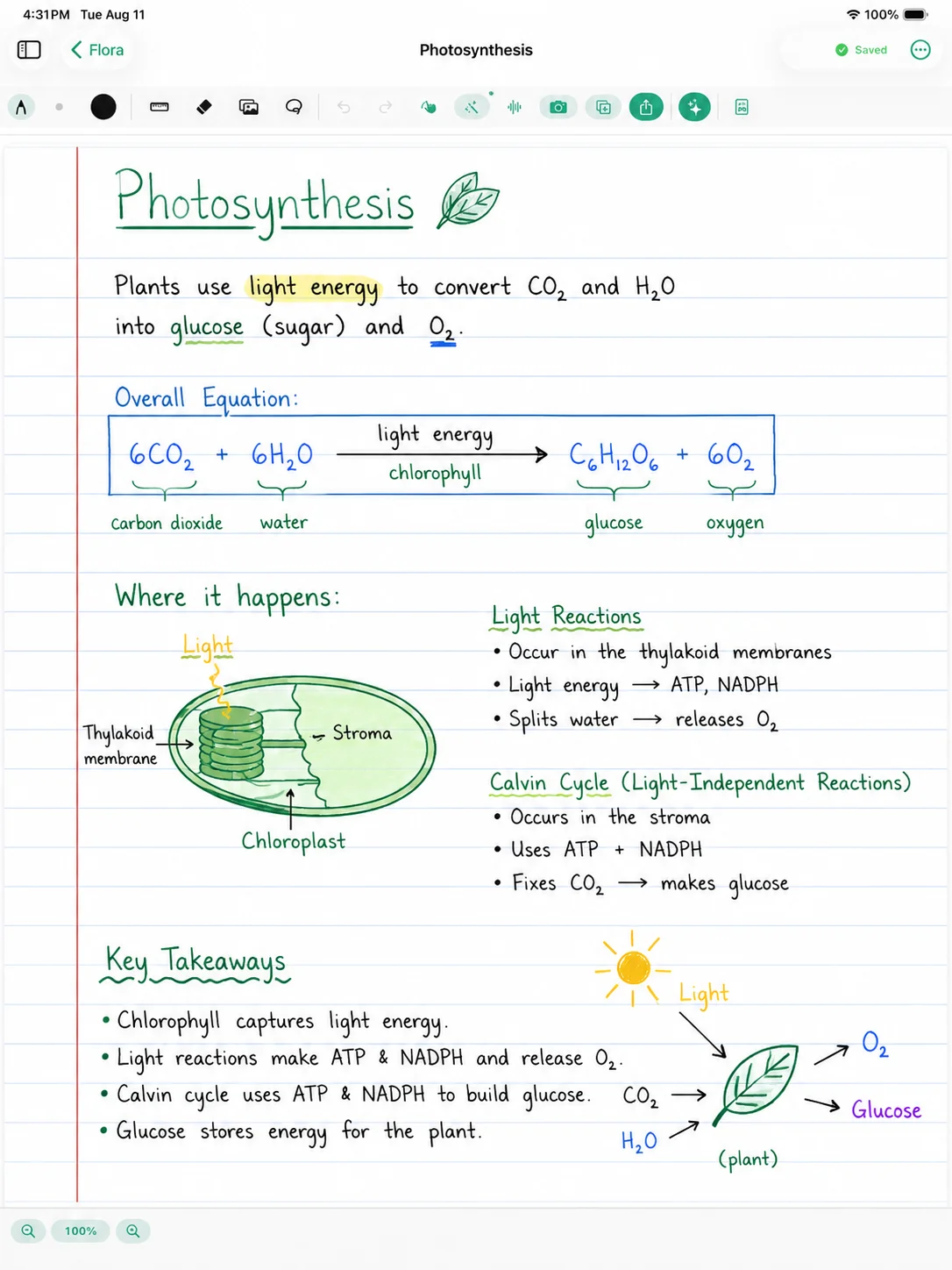
Write it the way it was taught.
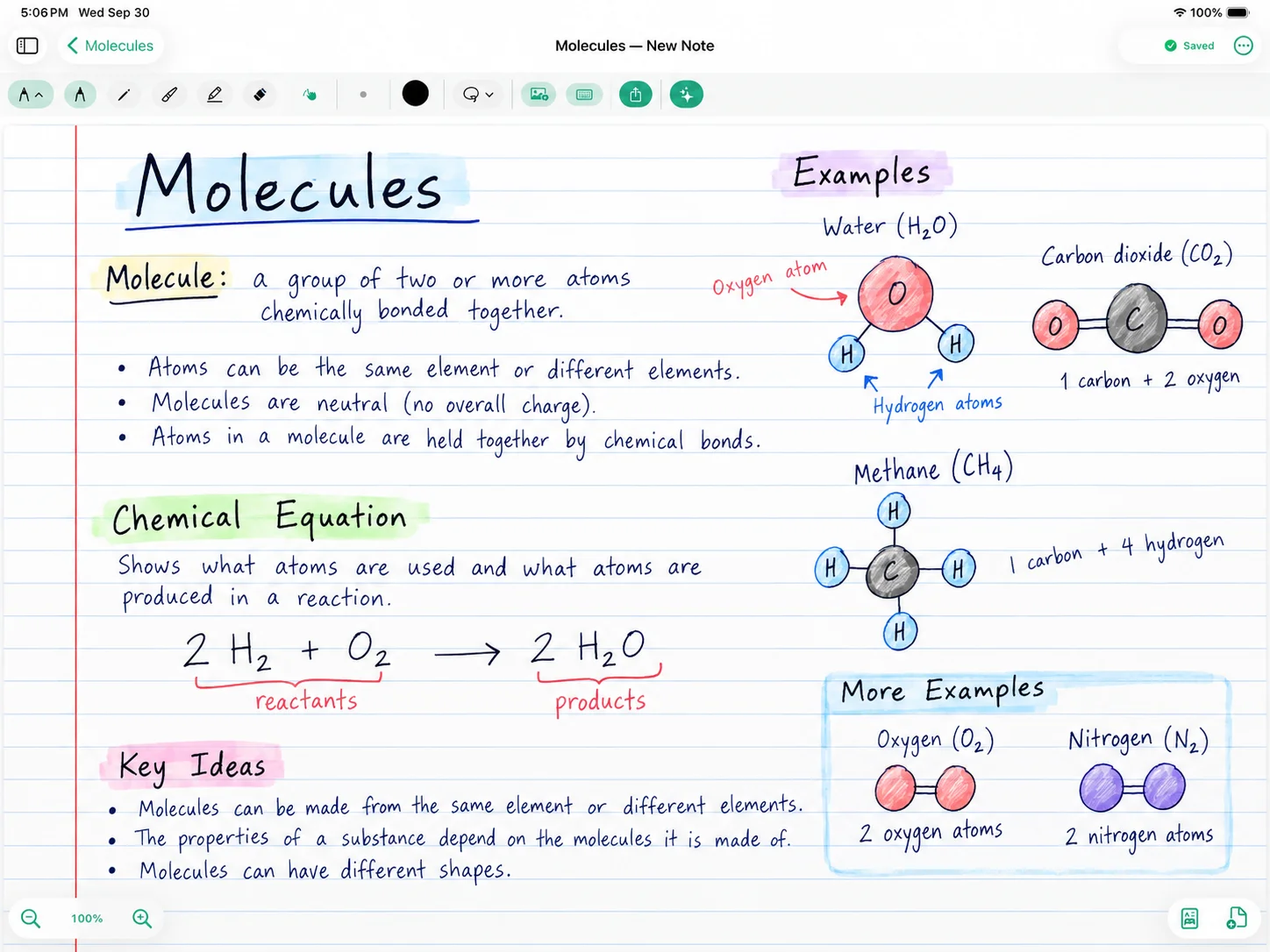
A cell diagram, a chemical equation or a page of math working rarely survives being typed. With Apple Pencil you can draw the structure, label it, and write the equation the way it appeared on the board.
Handwriting is part of Carpeta Free, so the notes that matter most in science and math classes don't sit behind a paywall.
Type when typing is faster.
Some classes move quickly and some notes are mostly words. Type them, or combine typed text and handwriting in the same note when a lecture switches between explanation and diagrams.
Class → Unit → Note.
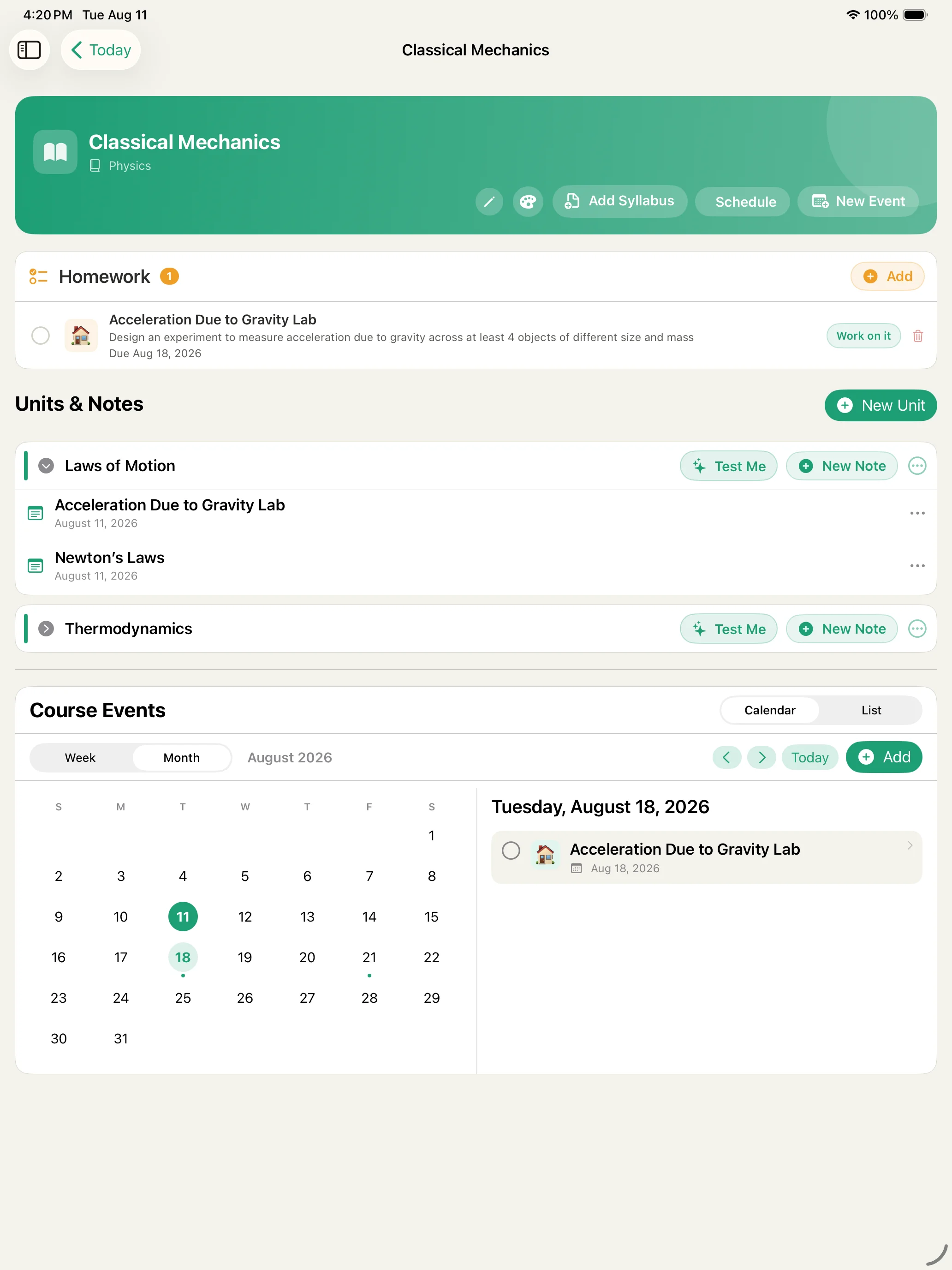
Notes aren't loose pages in a notebook app. Each binder holds your units, and each unit holds the notes you took while working through it. Open a class and its homework and course events are right there beside the notes.
When a test is coming, you don't hunt through a single long notebook. The material for Laws of Motion is already in Laws of Motion.
Carpeta Free includes up to two binders. Pro gives you unlimited binders.
Notes that keep working after class.
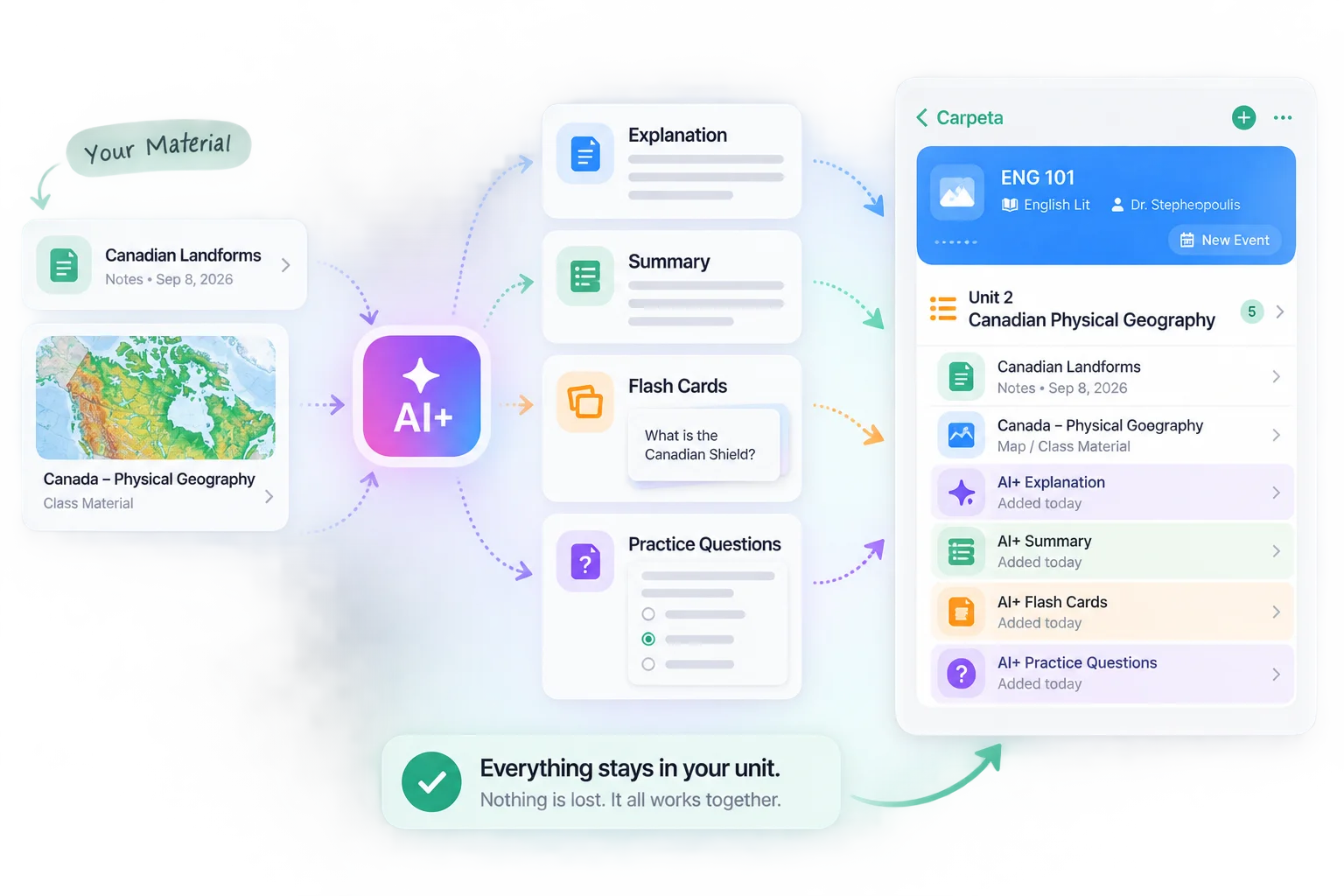
Because notes stay inside their unit, they're ready when it's time to prepare. With AI+, Carpeta can summarize a note, explain a concept you didn't follow, or build flash cards — and Test Me turns a whole unit into practice questions.
The result doesn't disappear when AI+ finishes. Saved explanations, summaries, flash cards and practice material stay with the unit they came from, alongside the notes you're already using. You pick the material, and nothing is sent for AI processing until you ask.
Start with your first class.
Handwrite, type and organize your notes by class and unit — handwriting included free.
Download Carpeta FreeNo account required.